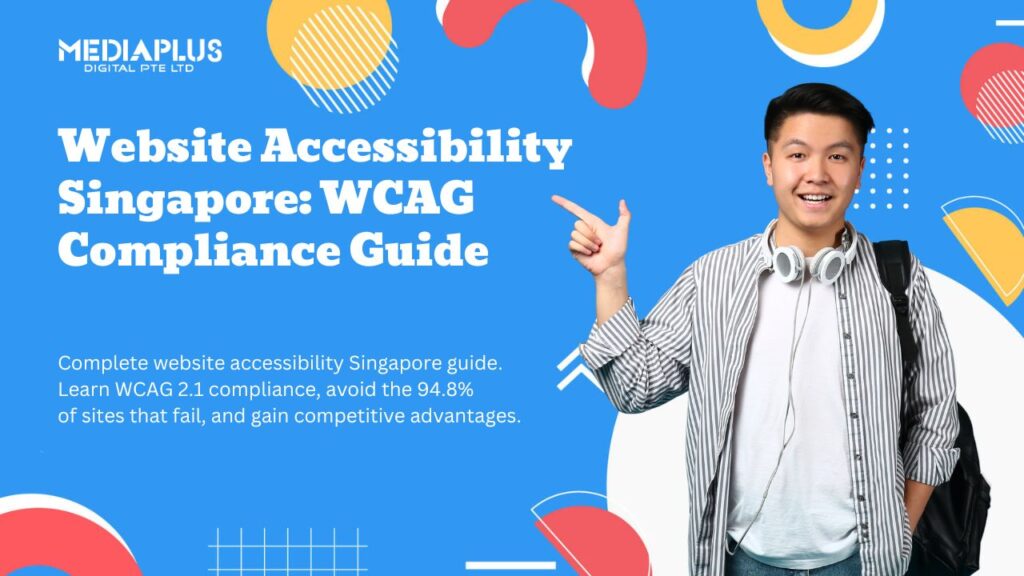
Quick answer: Web accessibility guidelines are set out in WCAG, the Web Content Accessibility Guidelines, published by the W3C. Level AA of WCAG 2.1 is the practical standard for Australian businesses and the level required for Australian Government websites. Accessibility is also relevant under the Disability Discrimination Act 1992, which has been applied to websites.
Roughly one in five Australians lives with disability. If your website cannot be used with a screen reader, a keyboard, or at 200% text size, that is a meaningful share of your market that cannot buy from you.
There is also a legal dimension, and it is older than most people assume.
This guide covers what the guidelines actually require, which failures matter most, and how to check your own site without specialist tools.
Where Australian law sits
The Disability Discrimination Act 1992 makes it unlawful to discriminate on the basis of disability in the provision of goods, services and facilities. It does not mention websites explicitly, because it predates the modern web, but it has been applied to them.
The landmark Australian case is Maguire v Sydney Organising Committee for the Olympic Games in 2000, where the Human Rights and Equal Opportunity Commission found that an inaccessible website amounted to unlawful discrimination. It remains the reference point for Australian web accessibility obligations.
Australian Government websites are held to WCAG 2.1 Level AA under the Digital Service Standard. Government procurement also references AS EN 301 549, the Australian adoption of the European accessibility standard for ICT.
Private businesses have no separate statutory web standard, which leads some to assume there is no obligation. The DDA still applies to the services you provide, and complaints can be made to the Australian Human Rights Commission. WCAG 2.1 AA is the accepted benchmark for demonstrating you have taken reasonable steps.
This is general information rather than legal advice. If you are in a regulated sector or bidding for government work, get advice on your specific obligations.
What WCAG actually is
WCAG is published by the World Wide Web Consortium. The current versions in common use are 2.1 and 2.2, with 2.2 adding a small number of additional criteria.
It is organised around four principles, often shortened to POUR:
|
Principle |
Means |
Example failure |
|
Perceivable |
Users can perceive the content |
An image with no alt text |
|
Operable |
Users can operate the interface |
A menu that only works with a mouse |
|
Understandable |
Content and operation make sense |
A form error that says “invalid input” |
|
Robust |
Works with assistive technologies |
A custom dropdown a screen reader cannot read |
Each principle contains success criteria at three levels:
- Level A. Minimum. Failing these makes content unusable for some people
- Level AA. The practical standard, and what almost everyone means by “accessible”
- Level AAA. Enhanced. Not expected across an entire site
Target Level AA. Level A is not enough to claim accessibility, and AAA is not realistic as a blanket goal.
The failures that actually matter
In practice, a small set of issues accounts for most accessibility problems on Australian business websites.
1. Insufficient colour contrast
The most common failure by a wide margin, and almost always a deliberate design choice. Light grey body text on a white background looks refined and is unreadable for many people.
The requirement: 4.5:1 for normal text, 3:1 for large text (roughly 18pt, or 14pt bold) and for user interface components.
How to check: WebAIM Contrast Checker, or the contrast tool built into browser developer tools.
2. Missing or useless alt text
Every image that conveys meaning needs a text alternative. Decorative images should have empty alt attributes so screen readers skip them.
Good alt text describes the content and function. “Technician replacing a switchboard in a Melbourne home” rather than “image1.jpg” or “photo”.
Do not start with “image of”, since the screen reader already announces that.
3. Keyboard traps and invisible focus
Some people navigate entirely by keyboard. Two things break this:
- Elements that cannot be reached or operated with Tab and Enter
- A focus indicator that has been removed for aesthetic reasons, leaving the user with no idea where they are
How to check: put your mouse aside and Tab through your own homepage. If you cannot reach the menu, complete the form, or see where focus is, you have a problem.
Custom built menus, sliders and modals are the usual offenders, which is one argument for standard components. Our guide to essential web design principles covers where custom interface work tends to create problems.
4. Form fields without real labels
Placeholder text is not a label. It disappears when typing starts, and screen readers handle it inconsistently.
Every input needs a properly associated <label>. Error messages need to say what is wrong and how to fix it, not just that something failed.
Form problems cost you conversions as well as compliance, which our conversion rate optimisation checklist and guide to calls to action both cover.
5. Broken heading structure
Screen reader users navigate by headings the way sighted users skim. That only works if the structure is logical: one H1, then H2s, with H3s nested underneath.
Using a heading tag because it looks the right size is a common cause of broken structure. Style with CSS instead.
6. Video without captions
Pre recorded video needs captions. Auto generated captions are a starting point but need correcting, particularly for Australian accents, product names and technical terms.
7. Content that only works one way
Information conveyed by colour alone (“fields marked in red are required”) fails for people who cannot distinguish those colours. Pair colour with text or an icon.
8. Text that will not resize
Users must be able to zoom to 200% without content breaking or being cut off. Fixed pixel heights on containers are the usual cause, and sites built mobile first tend to handle it better because the layout is already designed to reflow.
A practical checklist
Work through this on your own site. It covers the majority of real world issues.
|
Check |
Pass condition |
|
Colour contrast |
4.5:1 body text, 3:1 large text and UI components |
|
Alt text |
Present on meaningful images, empty on decorative ones |
|
Keyboard navigation |
Every function reachable and operable by keyboard |
|
Focus indicator |
Clearly visible on every focusable element |
|
Headings |
One H1, logical nesting, no skipped levels |
|
Form labels |
Real labels, not placeholders |
|
Error messages |
Say what is wrong and how to fix it |
|
Link text |
Descriptive, not “click here” or “read more” |
|
Page titles |
Unique and descriptive per page |
|
Language attribute |
Set on the html element |
|
Video |
Captions on pre recorded content |
|
Zoom |
Usable at 200% |
|
Colour independence |
No information conveyed by colour alone |
|
Skip link |
Present, to bypass repeated navigation |
|
Motion |
Respects reduced motion preferences |
Tools worth using
Automated testing catches roughly a third of issues. It is a starting point, not a certificate.
- WAVE browser extension, good for a quick visual audit
- axe DevTools, more thorough, integrates into developer workflow
- Lighthouse in Chrome, includes an accessibility score
- WebAIM Contrast Checker for individual colour pairs
Manual testing finds the rest:
- Tab through the site with no mouse
- Try a screen reader. VoiceOver is built into macOS and iOS, NVDA is free on Windows
- Zoom to 200%
- Turn off images and see whether the page still makes sense
A note on accessibility overlay widgets. These are the plugins offering a floating accessibility button that claims to fix your site automatically. They are widely criticised by disability advocates and accessibility professionals, they do not fix underlying code problems, and they can interfere with the assistive technology someone is already using. Fix the site instead.
The commercial case
Beyond the legal position, accessibility work pays for itself in ways that are easy to miss:
- Larger addressable audience. Around one in five Australians
- Better SEO. Proper heading structure, alt text, descriptive links and semantic markup are things search engines use too
- Better usability for everyone. Captions help in noisy environments, good contrast helps in sunlight, clear labels reduce form abandonment
- Government and enterprise procurement. Accessibility conformance is often a requirement to bid
- Reduced legal exposure
Accessibility overlaps heavily with quality. Sites that meet WCAG AA are usually better sites. Our guides to what makes a website good and essential web design principles cover the overlap, and responsive web design best practices covers building layouts that survive zooming.
Frequently asked questions
Is web accessibility a legal requirement in Australia?
The Disability Discrimination Act 1992 applies to services provided online and has been applied to websites, most notably in the Maguire case in 2000. Government sites must meet WCAG 2.1 AA under the Digital Service Standard. Private businesses have no separate web specific statute but remain subject to the DDA.
What level of WCAG should I aim for?
Level AA of WCAG 2.1 or 2.2. Level A is insufficient, AAA is not realistic site wide.
What are the four principles of WCAG?
Perceivable, Operable, Understandable and Robust, often shortened to POUR.
Do accessibility overlay widgets make my site compliant?
No. They do not fix underlying code, are criticised by disability advocates, and can interfere with assistive technology. Remediate the site itself.
How much does accessibility remediation cost?
It depends entirely on the starting point. Fixing contrast, alt text and form labels on a small site is often a few days of work. Rebuilding custom components that assistive technology cannot read is a larger project.
Does accessibility help SEO?
Yes, indirectly and meaningfully. Heading structure, alt text, descriptive link text and semantic markup all overlap with what search engines use to understand a page.
Where to start
Run WAVE on your homepage and your main service page, then Tab through both with no mouse. Those two checks take fifteen minutes and will find most of what is wrong.
Fix contrast first. It is the most common failure, affects the most people, and is usually a straightforward change to your colour tokens.
Our web design and development team builds accessible sites for Australian businesses and remediates existing ones. Get in touch for an accessibility review.
This article is general information, not legal advice. Confirm your obligations with a qualified adviser, particularly if you are bidding for government work or operate in a regulated sector.