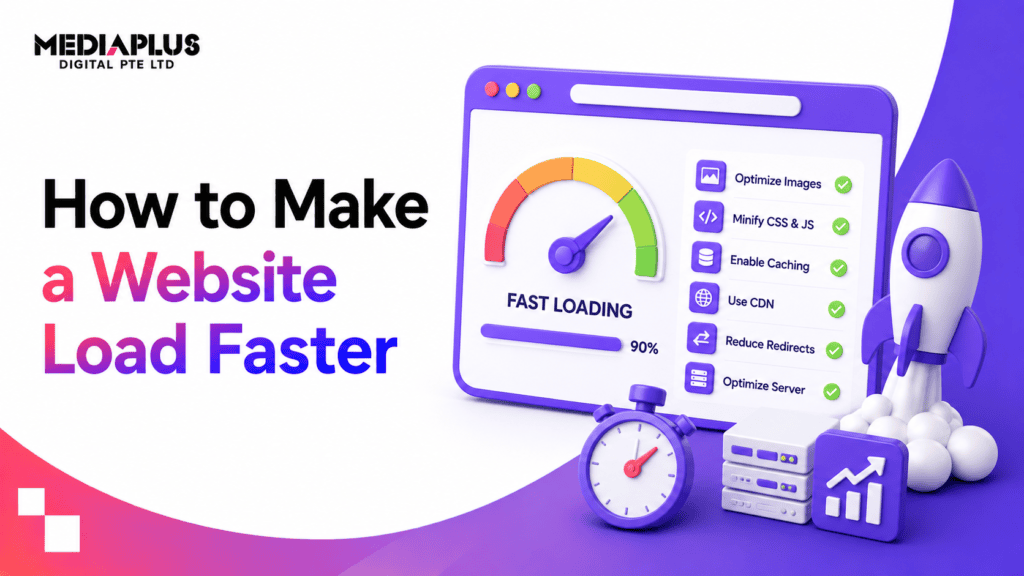
Quick answer: The three fixes that produce the biggest speed gains on most Australian business websites are compressing and correctly sizing images, removing unused scripts and plugins, and moving to better hosting with caching enabled. Aim for Largest Contentful Paint under 2.5 seconds on mobile data. Test on a real phone, not office wifi.
Most advice about site speed lists thirty things to do without saying which ones matter. In practice, a handful of problems cause the large majority of slow Australian business websites, and they are usually the same handful.
This guide orders the fixes by how much difference they typically make, so you can stop when the site is fast enough.
First, measure properly
Before changing anything, get a baseline.
Use these two tools:
- Google PageSpeed Insights for a diagnostic and specific recommendations
- The Core Web Vitals report in Google Search Console for real visitor data rather than a lab test. This is the one that reflects what your actual customers experience
The targets:
|
Metric |
Measures |
Good |
|
Largest Contentful Paint |
Time until main content appears |
Under 2.5s |
|
Interaction to Next Paint |
Responsiveness to taps and clicks |
Under 200ms |
|
Cumulative Layout Shift |
How much the page jumps while loading |
Under 0.1 |
Test on a real phone on mobile data. A site that loads in 1.5 seconds on office wifi can take eight seconds on 4G in a basement in regional Victoria. Our explainer on Core Web Vitals covers what each metric means.
Record your starting numbers so you can tell whether anything you do actually helps.
The 12 fixes, in order of impact
1. Compress and resize images
Almost always the single biggest win, and the most commonly neglected.
The typical problem: someone uploads a 4,000 pixel wide photo straight from a camera or phone, and the browser scales it down to display at 800 pixels. The visitor still downloads the full file.
What to do:
- Resize images to the largest size they will actually display at
- Convert to WebP, which is well supported and substantially smaller than JPEG or PNG
- Compress. Most photos survive 70 to 80% quality with no visible difference
- Keep individual images under about 200KB where possible
A page carrying 8MB of images will not be fast regardless of what else you do. This is also one of the most common items on our list of website design mistakes.
2. Enable lazy loading
Images below the fold should not load until the visitor scrolls toward them. Modern browsers support this with a single attribute, and most content management systems handle it automatically. Check that it is on.
Do not lazy load your hero image, since that is usually your Largest Contentful Paint element and delaying it makes the metric worse.
3. Remove the background video
Hero videos are the worst offender on business websites. A 12MB background video looks impressive on the designer’s connection and produces a blank screen on a phone with two bars.
If the video is genuinely important, use a static poster image and let the visitor choose to play it.
4. Audit your plugins and scripts
On WordPress sites in particular, plugin bloat accumulates quietly. Each plugin can load CSS and JavaScript on every page, whether that page uses it or not.
What to do:
- Deactivate and delete anything unused. Deactivated is not enough, delete it
- Check whether page builder plugins are loading assets site wide
- Look at what third party scripts you are running: analytics, chat widgets, heatmaps, ad pixels, review widgets. Each adds weight
- Remove anything nobody looks at
A chat widget nobody answers and a heatmap tool from a trial three years ago are both costing you load time.
5. Limit your web fonts
Every font family and weight is a separate download that blocks text from rendering.
- Use two font families at most
- Load only the weights you actually use. Four weights of two families is eight downloads
- Use font-display: swap so text appears in a fallback font rather than staying invisible
- Consider a system font stack, which loads instantly
6. Enable caching
Caching stores a prepared version of your page so the server does not rebuild it for every visitor.
- Page caching at the server or plugin level
- Browser caching so returning visitors do not re-download unchanged assets
- Object caching for database heavy sites
On WordPress, a single well configured caching plugin often halves load time. Managed hosting frequently includes this at the server level, which is better. Our guides to WordPress development and the pros and cons of WordPress cover the platform side.
7. Move to better hosting
Cheap shared hosting is a common and unfixable bottleneck. If your server takes 800 milliseconds to respond before anything else happens, no amount of front end optimisation rescues it.
What to look for:
- Time to First Byte under about 200 milliseconds
- Servers in or near Australia if your audience is Australian
- Modern PHP version
- Caching at the server level
Australian hosting matters more than people expect. Serving Australian visitors from a US server adds latency to every request. Our explainer on web hosting covers the options.
8. Use a CDN
A content delivery network serves your static files from locations closer to the visitor. For a business serving all of Australia, this reduces the penalty for visitors far from your server.
Cloudflare has a usable free tier and is the common starting point.
9. Minify and combine CSS and JavaScript
Minifying strips whitespace and comments. It produces modest gains compared with the fixes above, but it is easy and low risk.
Be careful combining files on modern servers using HTTP/2, where combining can occasionally make things worse. Test before and after.
10. Defer non critical JavaScript
Scripts that are not needed to render the page should not block it. Add defer or async to non critical scripts so the page can display while they load.
This is often what fixes a poor Interaction to Next Paint score.
11. Fix layout shift
Cumulative Layout Shift is the metric people ignore, and it is the one visitors find most irritating: you go to tap a button and the page jumps.
Causes and fixes:
- Images without width and height attributes. Set them
- Ads or embeds inserted without reserved space. Reserve it
- Web fonts swapping and changing text size. Use size adjusted fallbacks
- Banners injected at the top of the page after load
12. Reduce redirects
Every redirect adds a round trip. Check that your site does not chain them, for example http:// to https:// to www to a final URL. Point straight to the destination.
The fixes that matter least
Worth knowing so you do not spend a weekend on them:
- Minifying HTML, which saves very little
- Removing query strings from static resources
- Micro optimising CSS delivery on an otherwise slow site
- Switching frameworks because the current one is “heavy”
If your images are uncompressed and your hosting is slow, none of the above will register.
A realistic order of work
- Measure and record the baseline
- Compress every image on the site
- Delete unused plugins and third party scripts
- Reduce fonts to two families and only the weights used
- Enable caching
- Re-measure. Most sites are now acceptable
- If still slow, the problem is usually hosting. Move it
- Add a CDN
- Handle deferred scripts and layout shift
- Re-measure and set a monthly check
Steps two to five are typically a day of work and produce most of the improvement.
Why this matters beyond rankings
Speed is a ranking factor, covered in our guide to technical SEO, but the commercial argument is stronger than the SEO one. Every second of delay costs visitors before they see anything you have written, and the effect is worst on mobile, which is where most Australian traffic now sits.
A slow site also undermines everything else you spend money on. Paid traffic arriving at a page that takes six seconds to load is budget spent to show someone a blank screen. Our conversion rate optimisation checklist covers the wider set of conversion blockers, and what makes a website good puts speed alongside the other measurable standards.
Frequently asked questions
How fast should a website load?
Largest Contentful Paint under 2.5 seconds on mobile data. Over 4 seconds needs immediate attention.
What slows down a website the most?
Uncompressed images, background video, and too many plugins or third party scripts. Slow hosting sits underneath all of it.
Does website speed affect SEO?
Yes. Core Web Vitals are part of Google’s page experience signals. The larger effect is commercial: slow pages lose visitors before they read anything.
Will a caching plugin fix my slow website?
It usually helps noticeably but will not compensate for oversized images or poor hosting. Fix those first.
Does hosting location matter in Australia?
Yes. Serving Australian visitors from an overseas server adds latency to every request. Australian or nearby hosting, or a CDN, addresses it.
How often should I check site speed?
Monthly, and after any significant change. Sites get slower over time as content, plugins and tracking scripts accumulate. Our website maintenance service covers ongoing monitoring.
Where to start
Run PageSpeed Insights, note the score, then compress your images. On most Australian business websites that one step moves the number more than everything else combined.
If you work through the list and the site is still slow, it is almost always hosting, and that is a migration rather than an optimisation.
Our web design and development team handles performance work for Australian businesses. Get in touch for a speed audit of your current site.