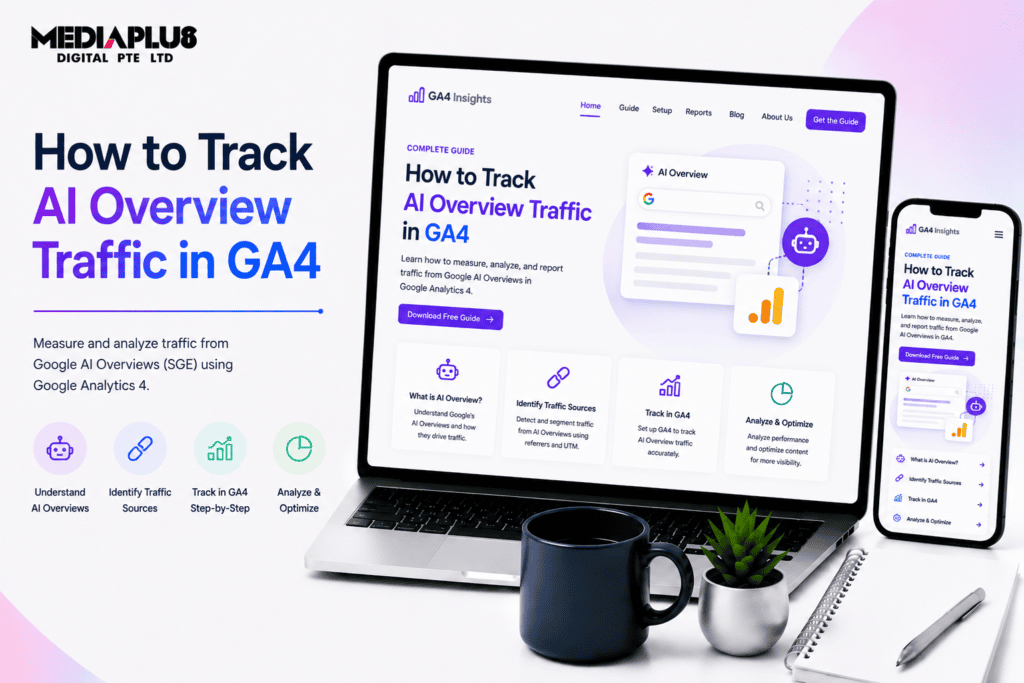
Quick answer: Google Search Console now has a Generative AI performance report showing impressions from AI Overviews and AI Mode separately, but it reports impressions only, with no clicks, position or query data. GA4 added a native AI Assistant channel that captures ChatGPT, Gemini and Claude referrals, though Perplexity and Copilot need a custom channel group. A large share of AI referrals arrive with no referrer at all and land in Direct, so every method underreports.
The honest starting point: you cannot measure AI Overview traffic precisely, and anyone telling you otherwise is selling something.
What you can do is assemble several partial signals into a picture that is good enough to make decisions with. This guide covers what each tool now reports, how to set it up, and how to estimate the gap.
Two things worth separating before starting:
AI Overviews are Google’s generated answers appearing above the traditional results. Clicks from them go to your site as ordinary Google traffic.
AI assistants are ChatGPT, Gemini, Claude, Perplexity and Copilot. Visits from those arrive as referrals from a different domain entirely.
They need different tracking, and people frequently conflate them.
What Google Search Console now reports
Google launched a Generative AI performance report on 3 June 2026, separating AI surfaces from the classic web report.
What it covers: impressions from AI Overviews, AI Mode, and AI features in Discover, broken down by page, country, device and date.
What it does not cover, and this is the important part:
|
Metric |
Available |
|
Impressions |
Yes |
|
Clicks |
No |
|
Click through rate |
No |
|
Average position |
No |
|
Query data |
No |
Historical data: begins 18 May 2026, with no backfill. If you are reading this expecting to analyse last year, that data does not exist.
So the report tells you your content is being surfaced in AI answers and roughly how often, but not whether anyone came to your site as a result. That is a real limitation and it shapes everything below.
Note also that AI Overview clicks are still counted inside your overall Search Console click totals. They are not missing, just not separable.
What GA4 now reports
Google Analytics 4 added a native AI Assistant channel to the Default Channel Group on 13 May 2026. Sessions arriving with a referrer matching a recognised AI domain are tagged with medium ai-assistant and grouped automatically.
To find it: Reports, then Acquisition, then Traffic acquisition, and set the primary dimension to Session default channel group. AI Assistant appears as its own row if you have had qualifying traffic since the channel went live.
The gap: Google’s recognised list covers ChatGPT, Gemini and Claude. Perplexity and Copilot are not included and remain buried in Referral, which means the default channel understates your AI traffic.
Build a custom channel group to close the gap
Create a custom channel group named something like “AI Tools”, with a Source matches regex condition, and order it above Referral so those sessions are captured first.
chatgpt\.com|chat\.openai\.com|perplexity\.ai|gemini\.google\.com|claude\.ai|copilot\.microsoft\.com|you\.com|poe\.com|meta\.ai
Add new assistants as they appear. This list will date.
The referrer problem
The measurement issue nobody can engineer around: a substantial share of AI referral sessions arrive with no referrer header at all, commonly cited in the range of 35% to 70% depending on platform and how the link was opened. Those sessions land in Direct.
This means your AI Assistant channel is a floor, not a total. Real AI driven traffic is higher than what you can see, possibly much higher.
Practical ways to close the gap
Since the platforms will not give you clean data, instrument around them.
1. Ask on the form. A “How did you hear about us?” field with an option for “ChatGPT or another AI assistant” is unfashionable and frequently more accurate than any dashboard. For a business with meaningful enquiry volume, this is the single most useful signal available.
2. Watch the Direct traffic trend. If Direct is climbing while branded search is flat, some of that is likely AI referral with stripped referrers. Not proof, but a useful directional signal.
3. Segment by landing page behaviour. AI referred visitors often land deep in the site rather than on the homepage, arrive with high intent, and read one thorough page. Compare engagement metrics for your informational pages against your usual organic pattern.
4. Cross reference impressions with clicks. Pair the GSC Generative AI impressions report against your classic web report for the same pages. Rising AI impressions alongside falling classic clicks on the same URLs is the clearest available evidence that AI Overviews are absorbing your traffic.
5. Use third party AI visibility tools. Ahrefs, Semrush and others now track whether an AI Overview appears for a given keyword and whether your domain is cited. That fills the query gap Search Console leaves. Our roundups of AI SEO tools and the best SEO tools cover the options, and GEO agencies in Australia covers who works on this locally.
The pattern to watch for
The characteristic signature of AI Overviews taking your traffic:
- Impressions on an informational page stable or rising
- Clicks on that page falling
- Click through rate dropping with no ranking change
- The query is informational, definitional or a “how to” question
That combination usually means Google is answering the question in the results and the user no longer needs your page.
The inverse pattern matters too. If your commercial and transactional pages are unaffected, the impact on your business may be small even if the traffic number looks alarming. Which pages are losing clicks matters more than how many.
What to do about it
Tracking is only useful if it changes something.
Accept the losses on pure definition traffic. Queries with a one sentence answer were never going to convert. Losing them is not the same as losing revenue.
Protect the pages that convert. Commercial pages, comparison pages, cost pages and location pages are less affected because the user needs more than a paragraph. Prioritise those.
Structure content to be cited. Clear question style headings, direct answers in the first sentence, tables, and factual specifics are what generated answers draw from. Being the cited source retains some visibility even when the click does not happen.
Add information a generated answer cannot contain. Your pricing, your process, your local availability, your actual case studies. Nobody’s AI can answer what your business charges in Melbourne. This is also why local SEO and the map pack have held up better than informational content.
Track brand mentions, not just clicks. If you are cited in AI answers, some of that shows up later as branded search or Direct traffic. The path lengthens rather than disappearing.
Our comparison of GEO and SEO covers how optimisation changes for generated results, and what GEO is covers the discipline. Our roundup of AI SEO tools covers the monitoring options.
A workable measurement setup
- Confirm the Generative AI report is populating in Search Console and record a monthly baseline of impressions by page
- Check whether the AI Assistant channel is appearing in GA4
- Build the custom channel group with the regex above so Perplexity and Copilot are captured
- Add a self reported source field to every enquiry form
- Set up a monthly comparison of impressions versus clicks for your top informational pages
- Track Direct traffic as a secondary signal
- Review quarterly and move effort toward pages that still convert
That takes an afternoon to set up and gives you something defensible to report on.
Frequently asked questions
Can you see AI Overview clicks in Google Search Console?
No. The Generative AI report launched in June 2026 shows impressions only. There is no click, position, CTR or query data in it. AI Overview clicks remain bundled into your overall Search Console click totals.
How do I know if AI Overviews are hurting my traffic?
Look for pages where impressions hold steady or rise while clicks fall and CTR drops without a ranking change, particularly on informational queries.
Does ChatGPT traffic show in Google Analytics?
Partly. GA4’s AI Assistant channel captures ChatGPT, Gemini and Claude. Perplexity and Copilot need a custom channel group. A large share of AI sessions arrive without a referrer and are recorded as Direct regardless.
Why is my Direct traffic increasing?
One likely contributor is AI referrals with stripped referrer headers. It is not the only cause, so treat it as a signal rather than a conclusion.
Should I stop writing informational content?
No, but change what you expect from it. Definitional content now serves visibility and citation more than clicks. Weight your effort toward pages that answer questions requiring specifics a generated summary cannot supply.
How far back does the AI data go?
Search Console’s Generative AI report starts from 18 May 2026 with no historical backfill. GA4’s AI Assistant channel began 13 May 2026.
Where to start
Open Search Console and check whether the Generative AI report is populating, then note your baseline. Add the GA4 custom channel group, because the default channel is missing Perplexity and Copilot entirely.
Then add the self reported source field to your enquiry forms. It is the least sophisticated item on this list and often the most accurate.
Our SEO and AI SEO teams work with Australian businesses on measuring and adapting to AI search. Get in touch for a review of where your traffic is actually going.
Reporting features described here are accurate as at 2026 and are changing quickly. Verify current capabilities in your own Search Console and GA4 properties before relying on them.