Quick answer: For designing interfaces that someone else will build, Figma is the default in 2026 and has a usable free tier. For designing and publishing yourself, Webflow gives the most control and Framer is fastest for marketing sites. For a small business that just needs a site live, Wix or Squarespace will do the job. Adobe XD is in maintenance mode and should not be used for new projects.
Search “best web design software” and you get two different kinds of answer mixed together, which is why the results feel confusing.
Design tools are where you decide what a site will look like and how it will behave. You draw screens, build components, prototype, then hand the result to a developer. Nothing goes live from these.
Website builders are where you assemble and publish a live site from templates and blocks. No handover, no developer.
Both get called web design software, and which one you need depends entirely on whether someone else is doing the build. This guide covers both, marks which is which, and ends with a comparison table.
How to choose
Work through these five questions before looking at any tool.
1. Are you designing, or shipping? If a developer is building it, you need a design tool. If nobody is building it but you, you need a builder.
2. Who else is involved? Solo work suits almost anything. Once two or more people need to be in the same file, browser based collaboration stops being a nice extra.
3. Mac or Windows? Some tools are Mac only, which rules them out for mixed teams.
4. How much structure will the site need? A five page brochure site suits a builder. Fifty service pages with a proper content structure will strain one.
5. What happens after launch? Someone has to update it. A tool that only you can operate becomes a problem when you are on leave.
The 10 options
1. Figma (design tool)
The default for interface design, and the reason is collaboration. It runs in the browser, several people can work in one file at once, and developers can inspect a design and pull measurements and assets without anything being exported.
Strengths. Real time collaboration, strong component and design system support, prototyping built in, a large plugin library, identical on Mac and Windows. The smoothest developer handover of anything here.
Limitations. Does not publish a website. Large files can lag on older machines.
Pricing. Free tier covering a small number of files, which is genuinely enough for one project. Professional around US 45. Viewers are free, which matters when clients only need to comment.
Best for: anything a developer will build, and any team of two or more.
2. Webflow (design tool and builder)
Sits between the two categories. You design visually, it generates the code, and you publish from the same place.
Strengths. Real design freedom without templates, clean output, a proper CMS for blogs and collections, no separate development step for many projects.
Limitations. A genuine learning curve, because it exposes web concepts like classes, flexbox and positioning. Hosting is bundled and priced per site. Handing a Webflow site to a client who wants to restructure pages themselves rarely goes well.
Best for: designers who want to ship without a developer.
3. Framer (design tool and builder)
Moved from prototyping tool to site builder and is now strongest for marketing sites where motion and polish matter.
Strengths. Fast to produce something that looks expensive, excellent animation handling, publishes directly.
Limitations. Less suited to large content sites or complex ecommerce. Smaller ecosystem than Webflow.
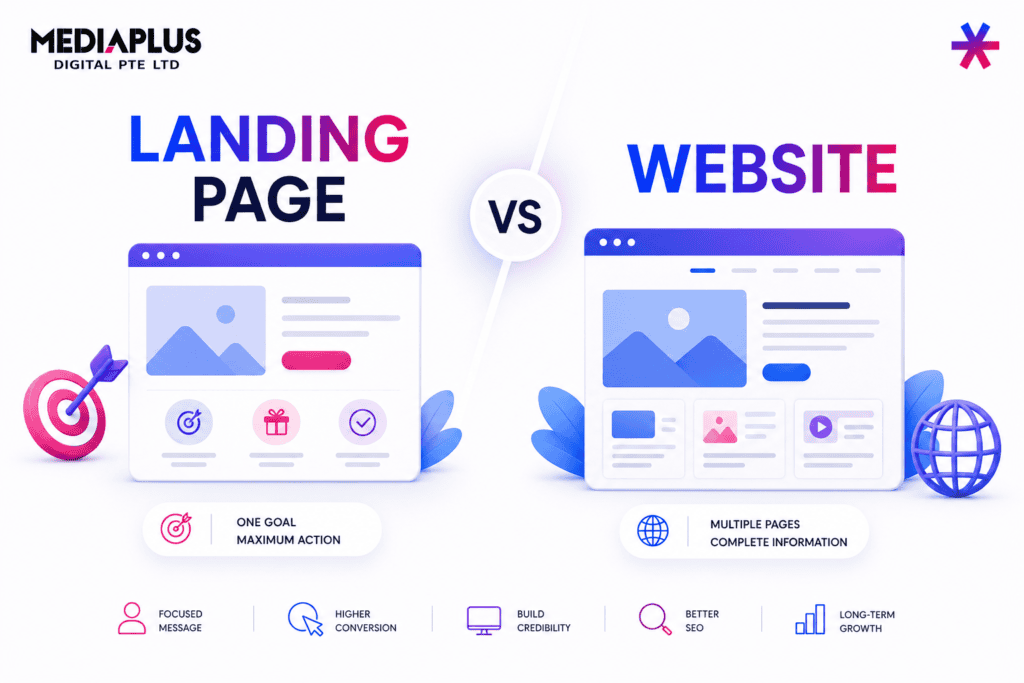
Best for: marketing sites and landing pages built quickly. Our landing page development service solves the same problem if you would rather not build it.
4. Sketch (design tool)
The industry standard before Figma, still capable and well built with a loyal following.
Strengths. Fast and light on Mac, mature plugin ecosystem, one time licence option alongside subscriptions.
Limitations. Mac only. Collaboration trails Figma. The pool of designers using it daily has shrunk.
Best for: solo Mac designers who prefer a native app.
5. WordPress with a page builder (builder)
Still the most widely used way to run a website, usually paired with Elementor, Bricks or a block theme.
Strengths. Enormous flexibility, huge plugin range, strong for content and SEO, you own and can move the site. Any developer in Australia can work on it.
Limitations. You are responsible for hosting, updates, security and backups. Page builders can slow sites down considerably if used carelessly.
Best for: content heavy business sites you intend to grow. See why use WordPress and the pros and cons of WordPress.
6. Wix (builder)
The most approachable builder for someone with no technical background.
Strengths. Drag and drop that genuinely behaves as expected, large template library, hosting and security handled, AI assisted setup.
Limitations. Harder to restructure a site later, less control over technical SEO details, you are on the platform permanently.
Best for: sole traders and small businesses that need a site live this month.
7. Squarespace (builder)
Templates are the best looking of any builder, which does a lot of work for businesses without a designer.
Strengths. Strong typography and layout defaults, hard to make ugly, good built in ecommerce for small catalogues.
Limitations. Less layout freedom than Wix, fewer integrations, can get expensive with add ons.
Best for: design conscious small businesses, creative services, restaurants and studios.
8. Shopify (builder, ecommerce)
If you are selling products, this is the ecommerce answer rather than a general design tool.
Strengths. Fastest route to a working store, handles payments, tax and security, huge app ecosystem, works natively in Australian dollars.
Limitations. Monthly cost plus app costs, less suited to content heavy sites, transaction fees unless using Shopify Payments.
Best for: anyone selling physical products. See WordPress versus Shopify and our Shopify development service.
9. Canva (light design tool)
Not professional web design software, and that is fine, because many people asking the question do not need professional software.
Strengths. Almost no learning curve, enormous template library, excellent for social and marketing assets, simple one page sites. Australian founded and widely used here.
Limitations. Templates constrain you, unsuited to a structured multi page business site, limited responsive control.
Best for: marketing graphics and a simple page when you have no designer.
10. Adobe Photoshop and Illustrator (supporting tools)
Useful alongside a design tool for photo editing and vector artwork. They are not interface design tools and have not been for years.
A note on Adobe XD. It is in maintenance mode, receiving bug and security fixes but no new features since mid 2023, and it is no longer sold standalone to new customers. There is no announced shutdown date, but starting a new project in a tool with no roadmap is a poor decision. If you have XD files, plan a migration to Figma.
Comparison table
|
Tool |
Type |
Platform |
Publishes live site |
Free tier |
Learning curve |
|
Figma |
Design |
Browser, Mac, Windows |
No |
Yes |
Moderate |
|
Webflow |
Both |
Browser |
Yes |
Limited |
Steep |
|
Framer |
Both |
Browser |
Yes |
Limited |
Moderate |
|
Sketch |
Design |
Mac only |
No |
Trial only |
Moderate |
|
WordPress |
Builder |
Browser |
Yes |
Software free, hosting paid |
Moderate to steep |
|
Wix |
Builder |
Browser |
Yes |
Limited |
Low |
|
Squarespace |
Builder |
Browser |
Yes |
Trial only |
Low |
|
Shopify |
Builder |
Browser |
Yes |
Trial only |
Low to moderate |
|
Canva |
Light design |
Browser, mobile |
Limited |
Yes |
Very low |
|
Adobe CC |
Supporting |
Mac, Windows |
No |
No |
Steep |
Most of these are priced in US dollars, so budget for exchange rate movement.
Which should you actually use
|
Situation |
Recommendation |
|
Sole trader who needs a site live quickly |
Wix or Squarespace |
|
Selling products online |
Shopify |
|
Content heavy site you plan to grow |
WordPress |
|
Designing a site a developer will build |
Figma |
|
Designer who wants to design and publish |
Webflow |
|
Marketing site with heavy motion |
Framer |
|
Need graphics more than a website |
Canva |
|
Currently on Adobe XD |
Migrate to Figma |
The honest answer for most Australian small businesses is that the tool is not the constraint. A well structured site built in Wix will outperform a beautiful Figma file that never gets built properly.
Where AI tools fit
AI design tools now generate layouts, copy and images from a prompt, and several are genuinely useful for a first draft or for filling placeholder content.
What they do not reliably produce is a coherent structure for a real business, with the right pages in the right sequence and the right calls to action. Treat them as an accelerator inside a process rather than a replacement for one. Our roundup of AI tools for web design covers where they help, and website builders goes deeper on the DIY platforms.
Software will not fix a structural problem
Tool choice is not the important decision. These are:
- What pages the site needs and how they connect
- What each page is trying to get the visitor to do
- Whether the content exists and is any good
- How it behaves on a phone
- How fast it loads
None of that is determined by your software. Our guides to essential web design principles, wireframing and website design mistakes cover the decisions that change results. For background, start with what web design is.
Frequently asked questions
Which software is best for web design?
Figma for professional interface design work. Webflow if you want to design and publish in one tool. Wix or Squarespace if you simply need a small business site live.
What are the top 3 website builders?
Wix for ease, Squarespace for design quality out of the box, WordPress for flexibility and long term growth. Shopify leads separately for ecommerce.
Is Figma free?
There is a free tier covering a limited number of files, enough for a single small project. Paid plans start around US$12 per editor per month billed annually.
Is Adobe XD discontinued?
It is in maintenance mode with bug and security fixes only and no new features since mid 2023, and it is not sold standalone to new customers. Do not start new projects in it.
Can AI build me a website?
AI can generate a draft layout and starter content quickly. It does not reliably decide what pages your business needs or how to structure them for conversion, which is where most of the value sits.
Do I need web design software to build a website?
No. If you are building a small business site yourself, use a builder. Design software is for producing designs someone else will build.
Where to go from here
Answer the five questions at the top, then pick from the table. If you are producing a design for someone to build, Figma. If you want to design and publish yourself, Webflow or Framer. If you just need a site, use a builder and spend the saved time on content.
If you would rather have it handled, our web design and development and WordPress development teams build sites for Australian businesses. Get in touch and we will tell you what your project actually needs.
Pricing and product status are accurate as at 2026 and change regularly. Check the vendor site before committing.