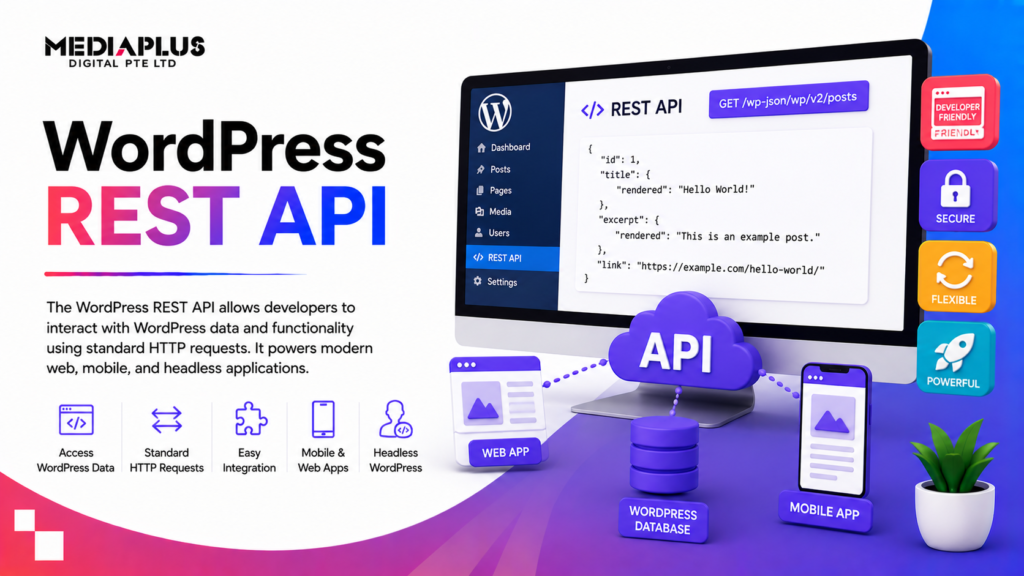
The WordPress REST API is an interface that lets applications interact with a WordPress site by sending and receiving JSON data over HTTP. Instead of logging into wp-admin to read or change content, a program makes a web request to a URL and gets back structured data it can use anywhere.
That one capability changes what a WordPress site can be. It is no longer just a website you view in a browser. It becomes a content source that a mobile app, a React front end, a customer portal, another business system or an automation script can all talk to.
This guide covers both sides of that story. First, what the REST API is and why it matters if you run a business. Then the technical detail your developers will actually use: the routes, the common endpoints, example requests, authentication and a few practical cautions.
If you want the broader concept behind this first, our explainer on what API integration is sets the scene. The WordPress REST API is one concrete, widely used example of it.
Why the REST API matters in plain terms
Every WordPress install since version 4.4 (released December 2015) ships with the REST API built in. There is nothing to buy or bolt on. Your site is already able to serve its content as data.
For a business, that matters for a few reasons:
- You are not locked to one front end. The same posts and products can power your website today and a mobile app next year without duplicating content.
- Systems can talk to each other. A CRM, an email platform or an internal dashboard can pull WordPress content or push new content in, on a schedule, without anyone copying and pasting.
- You can modernise the look without a rebuild. A fast JavaScript front end can sit in front of WordPress while your team keeps writing in the familiar editor.
The WordPress Block Editor itself runs on the REST API. Every time an author saves a draft or inserts an image, the browser is quietly making REST requests in the background. So this is not a fringe feature. It is core plumbing.
How the WordPress REST API works
The API is a set of URLs, called routes, that represent your site’s data. A route plus the HTTP method you use against it forms an endpoint. Send a request to an endpoint, get back a JSON response.
The base and the namespace
Everything lives under a single base path on your domain:
https://yoursite.com/wp-json/
Visit that URL in a browser on any standard WordPress site and you will see a large JSON document describing the API itself: which namespaces exist, which routes are available and what each accepts.
Routes are grouped into namespaces so that plugins can add their own without clashing. WordPress core content sits in the wp/v2 namespace:
https://yoursite.com/wp-json/wp/v2/posts
WooCommerce, for example, exposes its data under wc/v3, and a plugin you build can register its own namespace. The version number (v2) means the core team can introduce a v3 later without breaking existing integrations.
CRUD through HTTP methods
The REST API maps the four basic content operations to standard HTTP methods. This is the pattern to keep in mind:
|
Action |
HTTP method |
Example |
|
Read a collection |
GET |
GET /wp-json/wp/v2/posts |
|
Read one item |
GET |
GET /wp-json/wp/v2/posts/42 |
|
Create |
POST |
POST /wp-json/wp/v2/posts |
|
Update |
POST, PUT or PATCH |
POST /wp-json/wp/v2/posts/42 |
|
Delete |
DELETE |
DELETE /wp-json/wp/v2/posts/42 |
Reading public content needs no login. Creating, updating or deleting almost always needs authentication, which we cover further down.
A first request
Fetching the ten most recent published posts is a plain GET request. Here it is with curl:
curl https://yoursite.com/wp-json/wp/v2/posts
You get back a JSON array. Each post object includes fields like id, date, slug, status, title, content, excerpt, author and featured_media. The title and content come as objects with a rendered property holding the HTML.
You can shape the response with query parameters instead of pulling everything and filtering later:
GET /wp-json/wp/v2/posts?per_page=5&categories=12&_fields=id,title,link
That asks for five posts in category 12 and returns only the id, title and link. Trimming fields with _fields is one of the easiest ways to keep responses small and fast.
Common endpoints
Under the wp/v2 namespace you get endpoints for the main content types out of the box. A single item is addressed by appending its ID to the collection route.
|
Resource |
Collection route |
Single item |
|
Posts |
/wp-json/wp/v2/posts |
/wp-json/wp/v2/posts/<id> |
|
Pages |
/wp-json/wp/v2/pages |
/wp-json/wp/v2/pages/<id> |
|
Media |
/wp-json/wp/v2/media |
/wp-json/wp/v2/media/<id> |
|
Categories |
/wp-json/wp/v2/categories |
/wp-json/wp/v2/categories/<id> |
|
Tags |
/wp-json/wp/v2/tags |
/wp-json/wp/v2/tags/<id> |
|
Comments |
/wp-json/wp/v2/comments |
/wp-json/wp/v2/comments/<id> |
|
Users |
/wp-json/wp/v2/users |
/wp-json/wp/v2/users/<id> |
|
Taxonomies |
/wp-json/wp/v2/taxonomies |
/wp-json/wp/v2/taxonomies/<slug> |
|
Reusable blocks |
/wp-json/wp/v2/blocks |
/wp-json/wp/v2/blocks/<id> |
|
Site settings |
/wp-json/wp/v2/settings |
(single object) |
|
Search |
/wp-json/wp/v2/search |
(query only) |
Custom post types and custom fields can join this list too. When a developer registers a custom post type with show_in_rest set to true, it automatically gets its own endpoint, for example /wp-json/wp/v2/events. That is how you expose bespoke content, such as properties, courses or job listings, to an app or another system.
Authentication
Public reads are open. The moment you want to create, edit or delete content, or read anything private, WordPress needs to know who is asking and whether they are allowed. There are four common approaches.
|
Method |
Best for |
Notes |
|
Cookie plus nonce |
Code running inside WordPress (themes, plugins, the Block Editor) |
Uses the logged-in session; needs an X-WP-Nonce token on each request |
|
Application passwords |
Remote apps and server-to-server integrations |
Built into core since 5.6; uses HTTP Basic Auth over HTTPS |
|
JWT (via plugin) |
Decoupled front ends and mobile apps |
Stateless tokens; needs a plugin and a signing secret |
|
OAuth 1.0a (via plugin) |
Third parties acting on a user’s behalf |
More setup; suits multi-party delegated access |
Cookie authentication with nonces
When a user is logged into WordPress, the browser already holds a session cookie. Code that runs on the same site, such as the Block Editor or a plugin, can rely on that cookie. To stop other sites forging requests, WordPress also requires a nonce, a short-lived token passed as an X-WP-Nonce header or a _wpnonce parameter. This is the default for in-site JavaScript and needs no extra configuration.
Application passwords
This is the option most remote integrations should reach for. Since WordPress 5.6, each user can generate one or more application passwords from their profile page in wp-admin. These are separate from the account’s real password and can be revoked individually if a connected app is retired or compromised.
They work with standard HTTP Basic Authentication, so they must only ever travel over HTTPS:
curl -X POST https://yoursite.com/wp-json/wp/v2/posts \
–user “editor:abcd EFGH ijkl MNOP qrst UVWX” \
-H “Content-Type: application/json” \
-d ‘{“title”:”Posted via the REST API”,”status”:”draft”}’
That creates a draft post as the editor user. No plugin required.
JWT and OAuth
For a decoupled front end or a mobile app where users log in themselves, JSON Web Tokens are a common pattern. The client sends credentials once, gets back a signed token, then attaches that token to later requests. WordPress core does not include JWT, so this needs a plugin and careful handling of the signing secret. OAuth 1.0a, also via plugin, suits cases where a third-party service needs to act on behalf of your users without ever holding their password.
Whichever method you choose, permissions still apply. The REST API respects WordPress roles and capabilities, so an authenticated Subscriber cannot publish posts just because they hold a valid token.
Custom endpoints
The built-in endpoints cover core content, but real projects often need something specific: a combined payload for a dashboard, a purpose-built search, or an action that triggers business logic. You register your own route with register_rest_route, usually hooked to rest_api_init:
add_action( ‘rest_api_init’, function () {
register_rest_route( ‘mpd/v1’, ‘/quote’, array(
‘methods’ => ‘POST’,
‘callback’ => ‘mpd_handle_quote’,
‘permission_callback’ => function () {
return current_user_can( ‘edit_posts’ );
},
) );
} );
This creates POST /wp-json/mpd/v1/quote, routed to your mpd_handle_quote function. Note the permission_callback. Every custom route must define one. Leaving it open is a common and serious mistake, because it can expose an endpoint to anyone. If a route should be public, return true deliberately rather than by omission.
Custom endpoints are where the REST API stops being a content feed and starts being an application interface tailored to your business.
Security and performance to plan for
The REST API is safe by design, but it still deserves attention on a live site.
Security points worth checking:
- Always use HTTPS. Application passwords and tokens are readable in transit without it.
- The users endpoint is public by default. GET /wp-json/wp/v2/users can list author accounts and usernames on many sites. Restrict or filter it if that concerns you.
- Set a permission callback on every custom route. No exceptions.
- Validate and sanitise input. Treat data arriving at your endpoints the same way you would treat any form submission.
- Rate limit and monitor. Public endpoints can be hit hard. A caching layer or a firewall rule helps.
Performance points worth checking:
- Ask for less. Use _fields to return only what you need and per_page to control page size.
- Cache reads. GET responses for public content can be cached at the CDN or object-cache level so WordPress is not rebuilding them on every hit.
- Reduce round trips. Where a screen needs data from several sources, a single custom endpoint that assembles it is faster than many separate calls.
These are the same disciplines that govern any web development work. The REST API does not remove the need for them.
When a business should use it
The REST API is not the right answer to every project, so here is a straight read on when it earns its keep.
Good reasons to use it:
- Headless or decoupled sites. Keep WordPress as the editor your team knows, and serve the front end with a fast framework such as Next.js, Nuxt or a static build. Editors carry on as normal; visitors get a quicker, app-like experience.
- Mobile apps. A native iOS or Android app can pull articles, listings or account data straight from WordPress rather than duplicating a content system. This pairs naturally with mobile app development.
- Integrations. Sync content or leads between WordPress and a CRM, ERP, email tool or internal system on a schedule.
- Custom dashboards and portals. Build a members’ area or a staff dashboard that reads and writes WordPress data through purpose-built endpoints.
When to hold off:
- A standard brochure or content site that is only ever viewed in a browser rarely needs a decoupled build. A well-made theme is simpler to run and cheaper to maintain.
- Going headless adds a second codebase and a second thing to host, deploy and secure. That cost is worth paying when it buys performance or reach, and not much otherwise.
If you are still weighing up the platform itself, our pieces on why WordPress works for many businesses and the honest pros and cons of WordPress give a balanced view before you commit to an architecture.
Frequently asked questions
Do I need a plugin to use the WordPress REST API?
No. It has been part of WordPress core since version 4.4 in December 2015. Any current WordPress site already exposes it at /wp-json/. Plugins are only needed for extras such as JWT authentication or to add custom endpoints, which you can also do in your own code.
How do I check if the REST API is working on my site?
Open https://yoursite.com/wp-json/ in a browser. If you see a page of JSON describing the API, it is running. To test a real endpoint, try https://yoursite.com/wp-json/wp/v2/posts, which should return your recent posts as JSON.
Is the REST API a security risk?
Used properly it is safe, and it respects the same user roles and permissions as the rest of WordPress. The usual cautions apply: serve everything over HTTPS, set a permission callback on every custom endpoint, validate incoming data, and restrict the public users endpoint if listing author names is a concern.
What is the difference between the REST API and headless WordPress?
The REST API is the interface, the set of URLs that serve your content as data. Headless WordPress is one way to use it: you keep WordPress for editing but build a separate front end that reads content through the API instead of using WordPress themes to display it.
Can the REST API create and edit content, or only read it?
Both. Reading public content is open. Creating, updating and deleting content is done with POST, PUT, PATCH and DELETE requests and requires authentication, most commonly an application password for remote use.
Does using the REST API slow my site down?
Not inherently. Poorly built integrations that request too much data or make too many calls can add load. Trimming responses with _fields, controlling page size, and caching public GET responses keep it fast.
Is the WooCommerce API the same as the WordPress REST API?
It is built on the same foundation but uses its own namespace, wc/v3, and its own authentication keys. If you need product, order or customer data, you generally use the WooCommerce endpoints rather than the core wp/v2 ones.
Getting it built
The WordPress REST API turns a familiar content platform into something an app, a modern front end or another business system can build on. The concepts are approachable; getting authentication, permissions, caching and custom endpoints right on a production site is where experience pays off.
If you are considering a headless build, a mobile app backed by WordPress, or an integration between WordPress and your other systems, our team can help. See our WordPress website development and broader web design and development services, or read how we approach building a WordPress website from the ground up. Tell us what you want to connect, and we will map the shortest path to it.