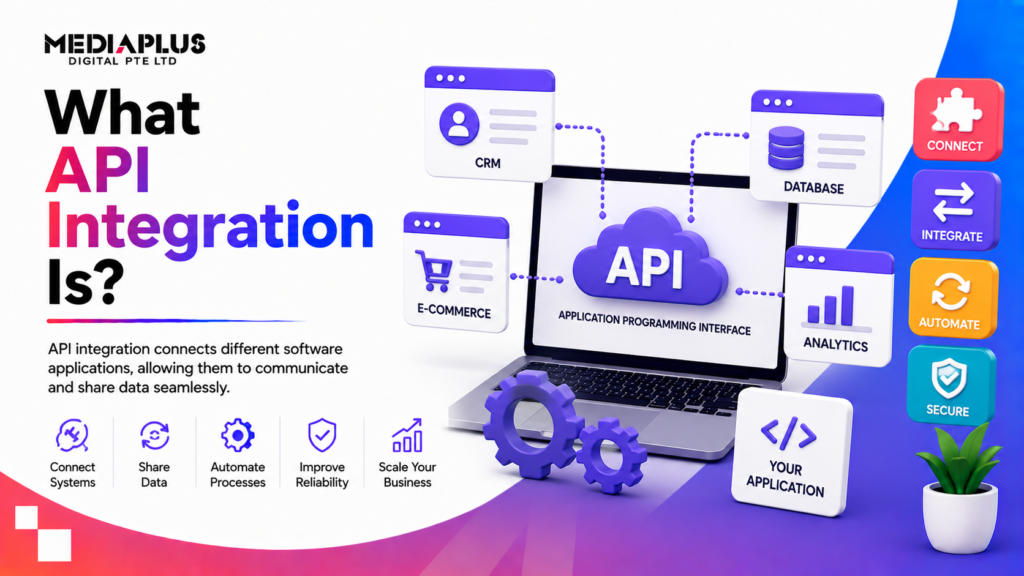
API integration is the process of connecting two or more applications through their APIs so they can share data and work together automatically. Instead of a staff member copying an order from your website into your accounting software, the two systems talk to each other directly and the data moves on its own.
If you run a business, you already rely on API integration whether you realise it or not. The moment a customer pays on your site and the payment clears through Stripe, an order confirmation lands in your inbox, and stock updates in your inventory system, that is several APIs working in sequence. This guide explains what is happening underneath, in language that makes sense whether you write code or sign the invoices.
First, what is an API?
API stands for application programming interface. It is a defined way for one piece of software to ask another piece of software for something, and get a predictable answer back.
A useful analogy is a restaurant. You sit at the table (your application) and you want food from the kitchen (another application). You do not walk into the kitchen and start cooking. You give your order to a waiter, who takes it to the kitchen and brings back the meal. The API is the waiter. It carries your request, follows the rules about what you can order, and returns the result. You never need to know how the kitchen is laid out.
That last point matters for business. An API lets two systems cooperate without either one exposing its inner workings. Your booking widget can check availability in your reservation system without touching the database directly, which keeps things safer and simpler.
How API integration actually works
Most modern integrations follow a request and response pattern over the web. Here is the cycle in order.
- A request is sent. Your application sends a request to a specific address called an endpoint. An endpoint is just a URL that represents one function or resource, for example a “create order” endpoint or a “get customer” endpoint.
- The request carries details. It includes a method (get data, create something, update, delete), any parameters, and often a block of data in the body. It also carries credentials so the other system knows you are allowed to ask.
- The server processes it. The receiving application reads the request, checks permissions, does the work, and prepares an answer.
- A response comes back. The response includes a status (success, not found, unauthorised, and so on) and usually a body of data.
That body of data is nearly always formatted as JSON (JavaScript Object Notation), a lightweight text format that both humans and machines can read. A JSON response for a customer might look like a simple list of labelled values: name, email, order total. Older enterprise systems sometimes use XML instead, which does the same job with more verbose formatting.
The whole exchange typically finishes in a fraction of a second, and it repeats every time the systems need to sync.
Authentication: proving you are allowed
No sensible system answers requests from anyone. Integrations carry credentials so the receiving app can verify the caller. The common methods are:
- API keys. A long secret string, unique to your account, sent with each request. Simple and common, but it must be kept private.
- OAuth. A token-based standard that lets a user grant one app limited access to another without sharing their password. This is what happens when a tool asks to connect to your Google account and you click “Allow”.
- JWT and basic auth. Other token or username and password methods used in specific contexts.
Rate limits
Most APIs cap how many requests you can make in a set window, say 100 requests per minute. This is called a rate limit, and it protects the provider from overload. A well built integration respects these limits and retries politely when it hits one, rather than hammering the service and getting blocked.
The main types of API
Not all APIs work the same way. The four you will hear about most are compared below.
|
Type |
How it works |
Data format |
Best suited to |
|
REST |
Request and response over standard web (HTTP) methods. The default for most web and mobile work. |
JSON (usually) |
Websites, mobile apps, most SaaS connections |
|
SOAP |
An older, strict protocol with a formal contract and built-in security rules. |
XML only |
Banking, insurance, government, legacy enterprise systems |
|
GraphQL |
You ask for exactly the fields you want in one request, nothing extra. |
JSON |
Apps with complex data where over-fetching is a problem |
|
Webhooks |
Reversed. The other service pushes data to you the instant an event happens, without you asking. |
JSON (usually) |
Real-time alerts: payment received, form submitted, shipment sent |
The key distinction to hold onto: REST, SOAP and GraphQL are things your system asks. A webhook is something another system tells you. If you want to react the moment a payment succeeds, a webhook fires instantly, which is far more efficient than checking “has it paid yet?” every few seconds.
For a concrete, real-world example of a REST API, WordPress ships with one built in. Our guide to the WordPress REST API walks through how it exposes your site’s content so other apps can read and update it.
Three ways to connect systems
Beyond the API type, you also choose an approach for building the connection. There are three broad options.
- Native or point-to-point integration. A direct connection, often pre-built by one or both vendors (for example, Shopify’s native link to Xero). Cheapest and quickest when it exists, but you are limited to what the vendor offers, and each new connection is a separate build.
- Middleware or iPaaS. A platform sits in the middle and connects many apps through one hub, with monitoring and pre-made connectors. Tools like Zapier and MuleSoft fit here. Good when you are joining several systems and want central oversight. There is a subscription cost and some technical setup.
- Custom integration. A developer builds the connection specifically for you. The most flexible option and the right call when your logic is unusual or no off-the-shelf connector exists. It costs more up front and needs ongoing maintenance.
Which one fits depends on how many systems you are joining, how unusual your requirements are, and your budget. A single connection between two mainstream tools rarely justifies custom work. A bespoke booking flow across four systems often does.
Common business use cases
API integration is behind a lot of everyday commerce. Some of the most common connections:
- Payment gateways. Your checkout talks to Stripe, PayPal or a bank so cards are charged securely and the result comes back in real time. Our overview of payment gateway options covers how these connections work at checkout.
- CRM sync. A new enquiry on your website creates a contact in your CRM automatically, so nothing is lost and sales can follow up.
- Email and marketing. A purchase adds the buyer to the right list in your email platform and triggers a welcome sequence.
- Inventory and ERP. A sale reduces stock counts across every channel, and your ERP keeps finance, purchasing and fulfilment on the same numbers.
- Shipping and logistics. Your store pulls live rates from Australia Post or a courier, prints labels, and sends the customer a tracking link.
- Booking and scheduling. A website booking form checks live availability and writes the appointment straight into your calendar system.
- Chatbots. An AI assistant on your site pulls order status or product data through an API to answer customers directly. See how we approach AI chatbot implementation for support and sales.
The pattern is the same each time: two systems that used to need a human in the middle now pass data between themselves.
The benefits, in business terms
- Automation. Manual re-keying disappears. Staff stop copying data between screens and spend that time on work that needs a person.
- Accuracy. Every manual copy is a chance to fat-finger a number. Direct data transfer removes that class of error.
- Real-time information. Stock levels, order status and customer records stay current across every system at once, so decisions rest on live data rather than last week’s export.
- Better customer experience. Instant confirmations, live tracking and single sign-on all come from systems talking to each other behind the scenes.
- Scalability. Once a connection is built, it handles ten orders or ten thousand without extra staffing.
The challenges to plan for
Integration is not set-and-forget. Go in aware of the trade-offs.
- Security. Every connection is a door into your data. API keys and tokens must be stored safely, traffic encrypted, and access scoped to only what each integration needs. According to Gartner, APIs are among the most common attack surfaces for web applications, so this is not optional.
- Maintenance. APIs change. A provider may deprecate an old feature or adjust a response, and your integration has to keep up or it breaks quietly.
- Versioning. Good APIs publish versions (v1, v2) and give notice before retiring one. You need to track which version you are on and plan upgrades before the old one is switched off.
- Error handling. Networks fail and services go down. A solid integration retries sensibly, logs what went wrong, and alerts someone rather than losing data in silence.
- Cost. Beyond the build, factor in platform subscriptions, provider usage fees, and developer time for upkeep.
How to approach an integration project
If you are planning a connection, a simple sequence keeps it on track.
- Define the outcome. Write down what should happen in plain language: “when a customer pays, create the order in Xero and email the receipt.” The clearer this is, the smoother everything after it.
- Map the systems and data. List every app involved and exactly which fields move where. Mismatched fields are the most common cause of a stalled project.
- Check what already exists. Look for a native connector or an iPaaS recipe before commissioning custom work. Do not pay to build what a vendor already offers.
- Confirm the API supports it. Read the provider’s API documentation. Check the endpoints you need exist, and note rate limits and authentication requirements.
- Build, then test with real edge cases. Test failed payments, duplicate submissions and dropped connections, not just the happy path.
- Monitor after launch. Set up logging and alerts so you learn about a broken sync from your dashboard, not from an angry customer.
Most of this sits on top of solid foundations. If you are unclear on how the web layer fits together, our primer on what web development involves and the difference between web design and web development give useful context before you brief a team.
Frequently asked questions
Is an API the same as an API integration?
No. An API is the interface, the set of rules one system offers for others to talk to it. An API integration is the actual connection you build using that interface to make two systems work together.
Do I need a developer to set up an API integration?
Not always. For mainstream tools, a native connector or an iPaaS platform like Zapier can join systems with little or no code. Custom logic, unusual systems, or high-volume connections are where a developer earns their keep.
How much does an API integration cost?
It ranges widely. A pre-built connector may be free or a small monthly fee. A custom integration can run from a few thousand dollars to much more, depending on complexity, the number of systems, and ongoing maintenance.
What is the difference between an API and a webhook?
With a standard API, your system asks for data when it needs it. A webhook flips that: the other system sends you data automatically the moment an event happens, so you do not have to keep checking.
Are API integrations secure?
They can be, when built properly. That means encrypted traffic, safely stored keys and tokens, access limited to only what is needed, and monitoring. Security is a design decision, not a default.
What happens when an API changes or is retired?
Reputable providers version their APIs and warn you before retiring an old version. Your integration needs occasional maintenance to move to the new version, which is why upkeep should be budgeted from the start.
Can I integrate systems that were not designed to work together?
Usually yes, as long as each exposes an API. Where one system has no API, middleware or a custom bridge can often still connect them, though it takes more effort.
Planning a connected system for your business?
API integration is how a website stops being a brochure and starts being part of your operations, passing data to the tools that actually run the business. Getting it right takes clear requirements and a build that accounts for security, errors and maintenance from day one.
MediaPlus Digital designs and builds connected websites, custom web applications and mobile apps for Australian businesses, including the integrations that tie your payment, CRM, inventory and booking systems together. If you are weighing up a project, talk to our team about what your systems need to do and we will map out the practical path to get there.