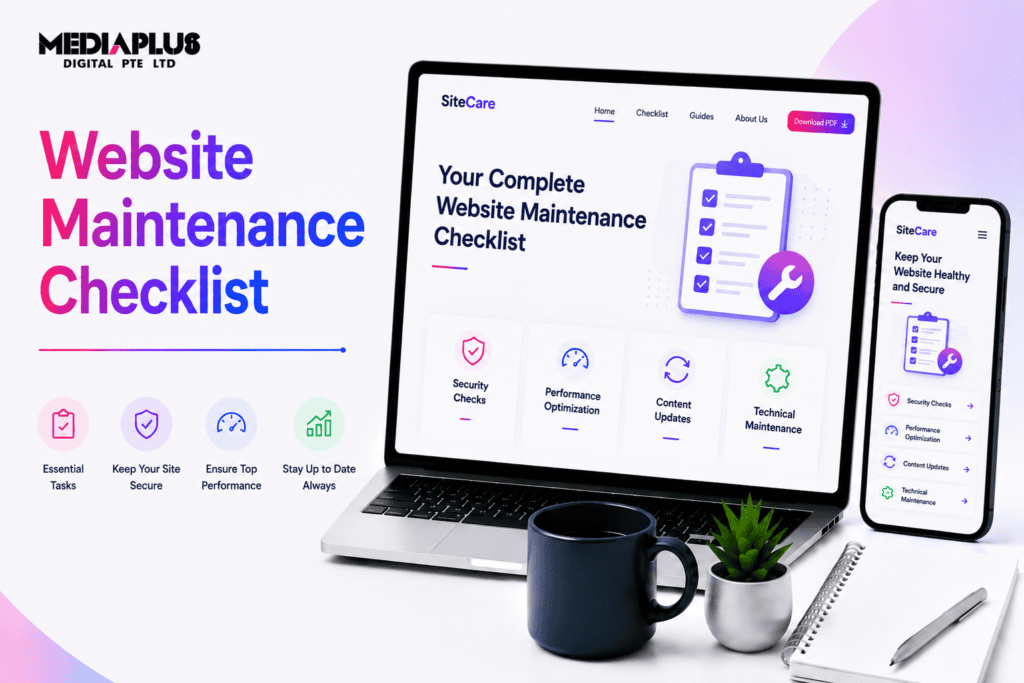
A website is not a set-and-forget asset. Software ages, plugins drift out of date, backups silently fail, and pages that ranked well last quarter slide down the results. Left alone for a year, most sites pick up broken links, slow load times, and at least one security hole that a bot will eventually find.
This checklist keeps that from happening. It is platform-agnostic, so it works whether your site runs on WordPress, Shopify, Squarespace, Webflow, or a custom build. Tasks are grouped by how often you should do them, from daily monitoring through to the yearly deep audit, with a short note on why each one matters.
If your site runs specifically on WordPress, use this checklist for the general tasks and pair it with our WordPress maintenance checklist, which covers core, plugin, and theme upkeep in more detail.
Why website maintenance matters
Skipping maintenance rarely causes an obvious problem on day one. The costs build up quietly, then arrive all at once.
- Security. Outdated CMS versions and plugins are the most common way sites get compromised. Attackers scan for known vulnerabilities automatically, so an unpatched site is a target regardless of how small or unknown it is.
- Uptime. Downtime that you do not notice is still downtime. If your site is offline for a few hours during business time, you lose sales, enquiries, and trust, and you may not find out until a customer tells you.
- SEO. Google factors page speed, mobile usability, and technical health into rankings through Core Web Vitals. Broken links, crawl errors, and slow pages all drag your visibility down over time.
- Conversions. A form that quietly stopped emailing you, a checkout that fails on mobile, or a page that takes six seconds to load will cost you leads every single day it stays broken.
Maintenance is cheaper than any of the outcomes above. The point of a checklist is to make the routine parts routine, so nothing important waits until it becomes a crisis.
The website maintenance checklist by frequency
The checklist below is split into daily, weekly, monthly, quarterly, and yearly tasks. Most small business owners can run the daily and weekly items themselves in a few minutes. The monthly and quarterly work is where a maintenance plan or an in-house schedule earns its keep.
Daily tasks
Daily checks are fast. Automated monitoring does most of the work, so your job is mainly to react when something flags.
|
Task |
Why it matters |
|
Confirm the site is up |
Uptime monitoring should alert you the moment the site goes offline, so you fix it before customers notice |
|
Check form and enquiry submissions |
Confirms lead forms and contact forms are still delivering, and catches spam early |
|
Scan security and firewall alerts |
Flags login attacks, malware, and suspicious activity while it is still contained |
|
Review yesterday’s traffic |
A sudden drop can signal an outage, a tracking break, or a penalty worth investigating |
Weekly tasks
Weekly maintenance keeps small issues from compounding. Block out fifteen to thirty minutes.
|
Task |
Why it matters |
|
Verify backups ran and can restore |
A backup you have never tested is not a backup, so confirm the latest copy exists off-site and is complete |
|
Run a broken link check |
Dead internal and external links frustrate visitors and waste crawl budget |
|
Apply security patches |
Critical CMS and plugin security updates should not wait for the monthly cycle |
|
Moderate comments and spam |
Removes spam links that can harm trust and, in volume, hurt SEO |
|
Review uptime and error logs |
Repeated 404s or 500 errors point to a problem worth fixing before it spreads |
Monthly tasks
The monthly pass is the core of good maintenance. This is where you update software, check speed, and keep content fresh.
|
Task |
Why it matters |
|
Update CMS, plugins, themes, and integrations |
Closes known vulnerabilities and keeps features working, ideally on a staging copy first |
|
Run a performance and speed audit |
Tools like PageSpeed Insights and GTmetrix show whether load times and Core Web Vitals are slipping |
|
Test key forms end to end |
Submit a real test through contact, quote, and checkout forms to confirm they still deliver |
|
Publish or refresh content |
New and updated pages give visitors and search engines a reason to return |
|
Review sitemap and robots.txt |
Confirms search engines can find new pages and are not blocked from anything important |
|
Check mobile display |
Verify layouts, buttons, and menus still work on current phones and tablets |
|
Optimise the database and clear caches |
Removes bloat that slows the site and inflates backups |
Quarterly tasks
Quarterly work is more strategic. You step back from day-to-day upkeep and look at security posture, structure, and results.
|
Task |
Why it matters |
|
Audit user accounts and permissions |
Remove old logins and confirm admin access is limited to people who still need it |
|
Review analytics and search rankings |
Spot pages losing traffic or position so you can update them before the decline sets in |
|
Compress and audit images |
Large uncompressed images are a common cause of poor Core Web Vitals scores |
|
Test on multiple browsers and devices |
Catches display and functionality bugs that only appear in certain environments |
|
Review third-party scripts and plugins |
Remove anything unused, since every extra script is a speed cost and a possible security risk |
|
Check business details are current |
Phone numbers, addresses, prices, and staff listings drift out of date faster than you expect |
Yearly tasks
The annual deep dive covers the big-ticket items that are easy to forget because they only come around once a year.
|
Task |
Why it matters |
|
Renew domain, hosting, and SSL |
A lapsed domain or expired SSL certificate can take the whole site offline overnight |
|
Run a full technical and SEO audit |
A once-a-year deep audit catches structural issues that monthly checks miss |
|
Review and prune old content |
Merge, update, or remove thin and outdated pages that dilute your authority |
|
Refresh cornerstone pages |
Home, About, and main service pages should reflect what the business does today |
|
Audit legal and compliance pages |
Privacy policy, terms, and cookie notices need to match current Australian Privacy Act obligations |
|
Reassess the platform and design |
Decide whether the current CMS, theme, and design still serve the business or need a rebuild |
For new sites, run through our website go-live checklist before launch, then move onto this maintenance schedule once you are live. The two hand off neatly, since go-live covers the one-off setup and this covers the ongoing upkeep.
SSL, backups, and security deserve extra attention
Three areas cause the most damage when they are neglected, so they are worth calling out on their own.
SSL certificates. Your certificate encrypts traffic and shows the padlock in the browser. When it expires, visitors get a full-page security warning and many leave immediately. Most hosts auto-renew, but auto-renewal fails often enough that you should verify the expiry date every quarter and set a calendar reminder ahead of the renewal.
Backups. Follow the 3-2-1 rule: three copies of your data, on two types of storage, with one copy off-site. Just as important, test a restore at least once a quarter. Plenty of businesses discover their backups were incomplete or corrupted only after they needed them, which is the worst possible moment to find out.
Security hardening. Beyond patching, the basics matter: strong unique passwords, two-factor authentication on admin accounts, a limit on login attempts, and prompt removal of accounts for people who have left. Most compromises exploit weak credentials or an outdated plugin, not a sophisticated attack.
DIY vs managed maintenance, and what it costs in Australia
You have three broad options, and the right one depends on how much time you have and how much the site matters to revenue.
Do it yourself. Realistic for a small brochure site if you are comfortable with your CMS and stick to the schedule. The out-of-pocket cost is mainly your tools and time: uptime monitoring and a backup service run roughly AUD $10 to $40 per month combined. The hidden cost is the hour or two a month it takes, plus the risk of a botched update taking the site down with no one on call to fix it.
Hire on demand. You maintain the site yourself and call a developer when something breaks. Freelance and agency rates in Australia typically sit around AUD $80 to $180 per hour. This keeps monthly costs near zero but tends to be reactive, so problems are found late and fixes cost more.
Managed maintenance plan. An agency handles updates, backups, monitoring, security, and reporting on a fixed monthly fee. Typical Australian bands look like this:
|
Plan level |
Typical AUD per month |
Usually suited to |
|
Basic |
$50 to $150 |
Small brochure and WordPress sites |
|
Standard |
$150 to $500 |
Business sites with regular content and lead forms |
|
Ecommerce or complex |
$500 to $2,000+ |
Online stores, high-traffic sites, and custom builds |
These are indicative ranges. For a full breakdown of what drives the price up or down, see our guide to website maintenance cost in Australia.
As a rough rule: if the site earns money directly, or if downtime and a security breach would seriously hurt the business, a managed plan pays for itself. If it is a simple site and you enjoy the hands-on work, DIY with a couple of paid tools is perfectly reasonable. Online stores sit at the demanding end because a broken checkout costs sales by the hour, which is why we run a dedicated Shopify website maintenance service for store owners.
Frequently asked questions
How often does a website really need maintenance?
Some tasks are daily (uptime and security monitoring), but the core work is monthly: updates, a speed check, form testing, and content. Layer weekly backup and link checks on top, plus a quarterly and yearly review. A site left untouched for a year almost always has security, speed, or link problems by the time anyone looks.
Can I do website maintenance myself?
Yes, for a straightforward site, if you follow a schedule like the one above and are comfortable applying updates on a staging copy before they go live. The main risks are missed backups and an update that breaks the site with no one available to roll it back. Larger and revenue-generating sites usually justify a managed plan.
What happens if I skip updates?
Outdated software is the leading cause of hacked websites. Skipping updates also means broken features, plugin conflicts, and compatibility issues that get harder to fix the longer they are left. The occasional catch is that an update itself breaks something, which is exactly why you test on staging and keep a recent backup.
How much should website maintenance cost in Australia?
Managed plans commonly run from around AUD $50 per month for a small site to $500 or more for a business site, and $2,000+ for a busy online store. DIY costs little beyond monitoring and backup tools, roughly AUD $10 to $40 per month, plus your time. See our cost guide for the detail.
Does website maintenance help SEO?
Directly. Fast load times, healthy Core Web Vitals, working links, fresh content, and no crawl errors all feed into how Google ranks your pages. Neglected sites lose rankings gradually as speed drops and technical debt builds up.
Is WordPress maintenance different from general maintenance?
The principles are the same, but WordPress has specific tasks around core, plugin, and theme updates, plus its own security considerations. If your site runs on WordPress, follow this checklist and our WordPress maintenance checklist together. If you are still choosing a platform, our take on why use WordPress covers the trade-offs.
How long does monthly maintenance take?
For a small site, budget one to two hours a month for the monthly tasks, plus a few minutes a week for backups and link checks. Ecommerce and content-heavy sites take longer because there is more to test and monitor.
Keep your site in good shape
A website maintenance checklist only works if someone actually runs it. Put the recurring tasks in a calendar, automate the monitoring, and decide honestly whether you have the time to keep it up. If you would rather hand it over, MediaPlus Digital offers managed website maintenance for Australian businesses, covering updates, backups, security, and reporting on a fixed monthly fee. And if you are planning a new build or a rebuild, our web design and development team can set the site up to be low-maintenance from day one.