Before a single pixel is designed or a line of code is written, every well-built website starts with a wireframe. Think of it as the blueprint of your website – it maps out structure, layout, and user flow without the distraction of colours, images, or branding.
In this guide, we explain what wireframes are, why they matter, and how they fit into the web design process.
What Is a Wireframe?
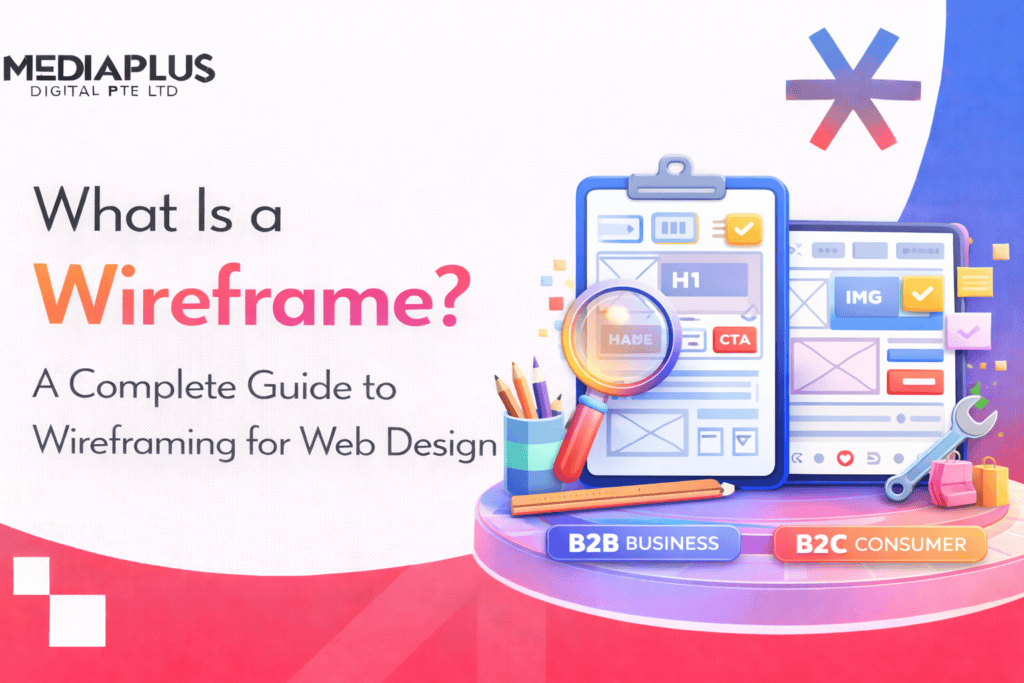
A wireframe is a simplified, low-detail visual representation of a web page’s layout. It shows the placement of key elements – navigation, headings, content blocks, images, buttons, and forms – without visual design details like colours, fonts, or photography.
Wireframes are typically created in greyscale using simple shapes: rectangles for images, lines for text, and boxes for buttons. They focus purely on structure, hierarchy, and functionality – answering the question ‘what goes where and why?’ before anyone worries about ‘what does it look like?’
Why Are Wireframes Important?
- Align stakeholders early – Wireframes give everyone – designers, developers, clients, marketers – a shared visual reference before significant time and money are invested in design.
- Focus on user experience – By stripping away visual design, wireframes force decisions about information architecture, user flow, and content priority.
- Identify problems cheaply – Restructuring a wireframe takes minutes. Restructuring a finished design takes days. Restructuring a coded website takes weeks.
- Speed up development – Clear wireframes give developers an unambiguous blueprint, reducing back-and-forth during the build phase.
- Support content strategy – Wireframes expose content gaps early – you can see where you need headings, body copy, CTAs, and supporting content before the design is finalised.
Types of Wireframes
Low-Fidelity Wireframes
Simple sketches or basic digital layouts using boxes, lines, and placeholder text (‘Lorem ipsum’). Created quickly with pen and paper or tools like Balsamiq. Best for brainstorming, exploring multiple layout options, and early-stage client discussions. Typically takes minutes to create.
Mid-Fidelity Wireframes
More refined than sketches but still without visual design. Include actual content hierarchy, realistic spacing, and accurate element sizing. Created in tools like Figma, Sketch, or Adobe XD. Best for getting stakeholder sign-off on structure before moving to visual design. The most commonly used type in professional web design projects.
High-Fidelity Wireframes
Detailed layouts that approach the look of a mockup but remain focused on structure. May include real content, accurate typography scales, and interactive elements. Often clickable (interactive prototypes). Best for complex projects where user testing is needed before visual design begins.
Wireframe vs Mockup vs Prototype
|
Wireframe |
Mockup |
Prototype |
|
|
Detail Level |
Low to mid |
High (pixel-perfect) |
Mid to high |
|
Colour/Branding |
No (greyscale) |
Yes (full visual design) |
Sometimes |
|
Interactivity |
None or basic |
None (static image) |
Yes (clickable) |
|
Purpose |
Structure and layout |
Visual appearance |
Test user interactions |
|
When Used |
Early planning |
After wireframe approval |
Before development |
|
Tools |
Balsamiq, Figma, paper |
Figma, Sketch, Adobe XD |
Figma, InVision, Framer |
Common Elements in a Wireframe
- Header and navigation structure
- Hero section and primary headline placement
- Content blocks and text hierarchy (H1, H2, body text)
- Image and video placeholders
- Call-to-action (CTA) buttons and their placement
- Forms (contact, signup, search)
- Sidebar content (if applicable)
- Footer structure and links
- Mobile navigation pattern (hamburger menu, bottom nav)
The Wireframing Process
- Research – Understand the business goals, target audience, and competitor landscape.
- Define information architecture – Map out the site structure, page hierarchy, and user flows.
- Sketch low-fidelity wireframes – Explore multiple layout options quickly on paper or whiteboard.
- Create mid-fidelity wireframes – Build refined digital wireframes with accurate structure and spacing.
- Review and iterate – Present to stakeholders, gather feedback, and refine.
- Approve and hand off – Once approved, wireframes become the blueprint for visual design and development.
Best Wireframing Tools
- Figma – The industry standard for collaborative design. Free tier available. Real-time collaboration, prototyping, and design system support.
- Balsamiq – Purpose-built for low-fidelity wireframing. Intentionally sketch-like aesthetic keeps focus on structure, not aesthetics.
- Sketch – Mac-only design tool popular with UI designers. Strong plugin ecosystem.
- Adobe XD – Part of the Adobe Creative Cloud. Good for teams already using Adobe products.
- Pen and paper – Don’t underestimate analog tools. Fastest for initial brainstorming and client workshops.
Wireframing for Mobile vs Desktop
With over 60% of web traffic coming from mobile devices, wireframing mobile layouts first (mobile-first approach) ensures your most constrained screen gets proper attention. Mobile wireframes force you to prioritise content ruthlessly – there’s simply less space for everything.
Key differences in mobile wireframes: single-column layouts replace multi-column grids, hamburger or bottom navigation replaces horizontal menus, touch targets need to be at least 44x44px, and content that’s side-by-side on desktop stacks vertically on mobile.
Common Wireframing Mistakes
- Skipping wireframes entirely and jumping straight into visual design – this leads to expensive structural changes later.
- Adding too much visual detail – wireframes should focus on structure, not aesthetics.
- Not involving stakeholders early – wireframes are most valuable when reviewed before design begins.
- Ignoring mobile layouts – wireframe both mobile and desktop from the start.
- Using placeholder content when real content is available – real content reveals layout problems that ‘Lorem ipsum’ hides.
- Treating wireframes as final – they’re a planning tool, not a design deliverable. Expect iteration.
Final Thoughts
Wireframes save time, reduce miscommunication, and produce better websites. Whether you’re building a simple business site or a complex ecommerce platform, starting with wireframes ensures your web design project is built on a solid structural foundation.
Need a website built with a strategy-first approach? Get in touch with MediaPlus Digital Australia for a free consultation.