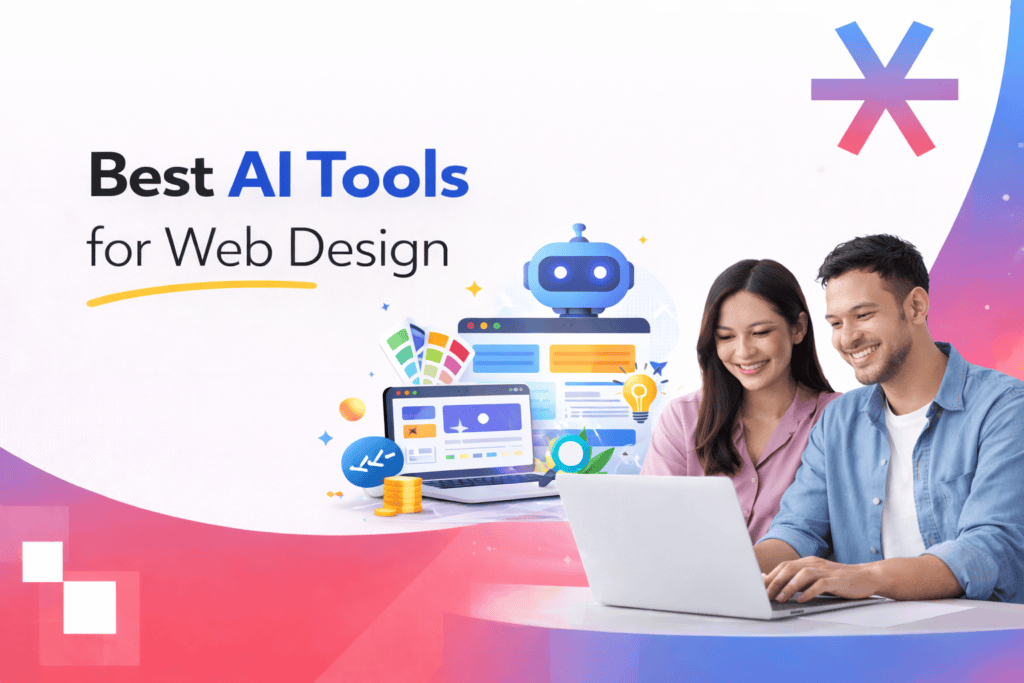
Artificial intelligence is no longer a future concept in web design. It is already reshaping how websites are planned, designed, written, tested, and launched.
From layout generation to SEO optimisation, code assistance, and UX testing, AI tools now support nearly every stage of the web design process. Below are some of the most effective AI tools for web design in 2026, explained in detail.
1. Wix ADI
Wix ADI, short for Artificial Design Intelligence, is one of the earliest mainstream AI website builders. It generates a complete website after asking users a series of structured business-related questions.
Instead of starting with a template, users provide their business name, industry, desired features, and style preferences. Wix ADI then automatically builds a structured layout with relevant sections such as services, testimonials, contact forms, and calls to action.
What makes Wix ADI useful is its balance between automation and manual control. Once the AI generates the site, users can move into the Wix Editor to adjust layout blocks, colours, fonts, and content.
Strengths include built-in SEO settings, mobile responsiveness, and ecommerce capabilities. However, design flexibility can feel limited compared to fully custom builds.
Best suited for small businesses, startups, and non-technical users who want to launch quickly.
2. 10Web
10Web focuses on AI-generated WordPress websites. It combines AI layout generation with managed hosting on Google Cloud infrastructure.
Users input a description of their business, and 10Web automatically generates a WordPress site complete with images, copy, and layout structure. The platform integrates with Elementor, allowing further drag-and-drop customisation.
One of its major advantages is performance optimisation. 10Web includes built-in speed optimisation, security tools, and automated backups, which reduces the technical burden of managing WordPress sites.
It is particularly useful for agencies and businesses that prefer WordPress but want to accelerate production time.
Best for WordPress users who value automation and hosting integration.
3. Framer AI
Framer AI is known for generating clean, modern, responsive websites from short prompts. It focuses heavily on design aesthetics and animation control.
Users describe the type of website they want, such as a portfolio or SaaS landing page, and Framer generates a visually polished layout with structured sections. Designers can then refine spacing, typography, colours, and motion effects inside its visual editor.
Framer stands out for its responsive preview tools and smooth animation capabilities. It is well suited for designers who care about micro-interactions and modern UI trends.
Best for designers who want creative flexibility combined with AI speed.
4. Durable AI
Durable AI focuses on speed and simplicity, particularly for service-based businesses.
After entering business type, name, and location, Durable generates a complete website in under a minute. It includes built-in CRM tools, invoicing features, and marketing automation, making it more than just a website builder.
The platform prioritises practicality over advanced design control. While customisation options are limited compared to high-end design tools, its simplicity makes it effective for local businesses and freelancers who need an online presence quickly.
Best for small service businesses and solo operators.
5. Uizard
Uizard is built specifically for rapid UI prototyping. It converts sketches, screenshots, and text prompts into functional wireframes and interface mockups.
This tool is particularly valuable during early-stage product design. Designers can upload hand-drawn sketches, and Uizard transforms them into structured UI components. It also supports collaborative editing, making it suitable for team workflows.
Uizard reduces the time needed to create low-fidelity prototypes, which accelerates validation and stakeholder presentations.
Best for product teams and UX designers focused on rapid iteration.
6. Adobe Sensei
Adobe Sensei is the AI engine integrated across Adobe’s ecosystem, including Photoshop, Illustrator, and XD.
Rather than generating full websites, Adobe Sensei enhances design workflows. It supports automated background removal, intelligent cropping, content-aware editing, layout suggestions, and colour adjustments.
For professional designers, this reduces repetitive tasks and improves precision in visual editing. It enhances productivity rather than replacing creative control.
Best for experienced designers using Adobe Creative Cloud tools.
7. Grammarly
Grammarly improves website copy by enhancing clarity, tone, grammar, and readability.
While it is not a design tool in the traditional sense, content plays a critical role in conversion and SEO performance. Grammarly analyses sentence structure, identifies passive voice, and suggests improvements to make web copy more engaging and professional.
It is particularly useful for refining landing pages, service descriptions, blog posts, and microcopy such as button text and error messages.
Best for refining website content before launch.
8. Surfer SEO
Surfer SEO focuses on search optimisation. It analyses top-ranking pages and provides data-driven guidance for keyword usage, structure, and content length.
Web designers and marketers use Surfer to optimise landing pages and blog content for better search visibility. It offers content scoring, NLP keyword suggestions, and SERP data analysis.
Rather than guessing what Google prefers, Surfer uses live search data to guide content structure.
Best for SEO-driven websites and organic traffic growth strategies.
9. DALL·E
DALL·E generates images from text prompts. Designers can create custom illustrations, product visuals, and hero section graphics without relying on stock libraries.
This allows greater visual originality, especially for brands that want unique assets. However, designers should review usage rights and ethical considerations before commercial use.
Best for generating custom imagery quickly.
10. Midjourney
Midjourney specialises in artistic, stylised visuals. It is popular for brand-heavy projects where strong visual identity matters.
Designers use it to generate conceptual imagery, mood board assets, and distinctive hero visuals. Its outputs often feel more artistic compared to other AI image tools.
Best for creative brands and visually expressive projects.
11. GitHub Copilot
GitHub Copilot assists developers by suggesting code in real time. It analyses context and provides autocomplete solutions across multiple programming languages.
For web development, this speeds up front-end implementation, backend scripting, and debugging processes. It does not replace developers but significantly improves productivity.
Best for developers building custom websites and applications.
12. Optimizely
Optimizely focuses on experimentation and conversion optimisation. It enables A/B testing across layouts, CTAs, headlines, and user flows.
Design teams use it to validate decisions with data rather than assumptions. This is especially important for ecommerce and lead generation websites.
Best for conversion rate optimisation and performance testing.
13. Hotjar
Hotjar provides heatmaps, session recordings, and behavioural tracking insights.
It allows designers to understand how users interact with a website, where they click, how far they scroll, and where friction occurs.
These insights help refine UX design, improve layout decisions, and increase conversion rates.
Best for UX insights and user behaviour analysis.
Final Thoughts
AI tools have permanently changed the web design process. They accelerate layout creation, assist with copywriting, generate visuals, support development, and improve testing efficiency.
But speed is not the same as strategy.
AI can generate pages, sections, and even full websites in minutes. What it cannot do on its own is define positioning, align user journeys with business goals, structure SEO architecture correctly, or optimise conversion pathways based on long-term growth plans.
That is where professional expertise becomes essential.
Working with an experienced web design company in Australia ensures that AI tools are used as accelerators, not shortcuts. A structured web design and development service goes beyond visual output and focuses on:
-
SEO-ready site architecture
-
Conversion-focused UX
-
Performance optimisation
-
Scalable backend structure
-
Integration with digital marketing systems
AI can help build a website.
A strategic web design and development service ensures that website performs, ranks, and converts.
If your goal is simply to launch quickly, AI builders may be enough. If your goal is sustainable growth, brand authority, and measurable ROI, combining AI tools with an experienced web design company in Australia is the smarter long-term move.